
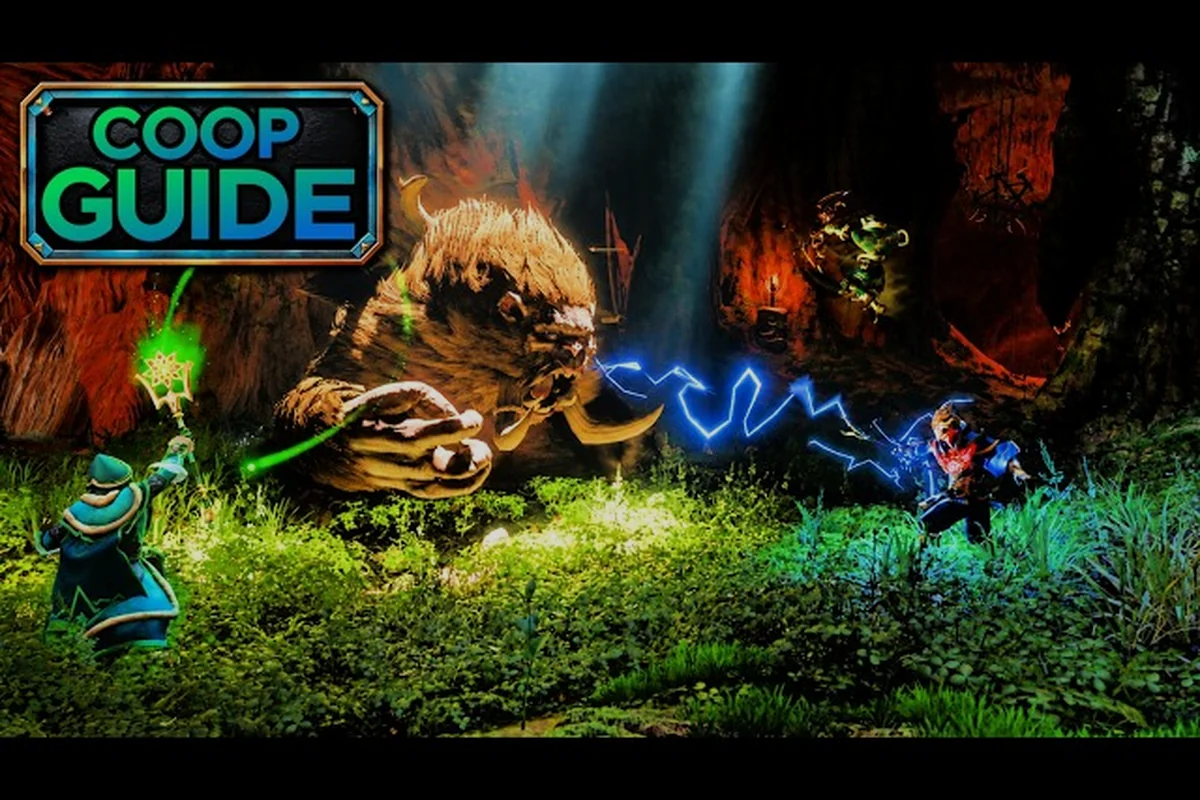
Enshrouded online co-op explained in one line: up to 16 players share a single persistent world, and every mechanic — invites, loot, base sharing, and difficulty scaling — is built around that shared save. If you are about to start a group run, knowing how the world settings and progression rules actually behave saves hours of confusion.
How Enshrouded Online Co-op Works at Its Core
Enshrouded is a survival action RPG from Keen Games that left early access in October 2026 for PC and PlayStation 5, with Xbox Series X|S planned for early 2027. According to the the Enshrouded website, Embervale is a hand-crafted voxel kingdom you terraform, rebuild, and defend. The key multiplayer fact is that co-op runs on a single shared world save, not on parallel copies of the map.
That design choice shapes everything else. When you host, the world lives on your machine or your dedicated server, and friends join that same instance. There is no separate "your world" and "my world" — there is only the world the host loaded. This is why enshrouded multiplayer base sharing feels so seamless: two players standing in the same base are literally editing the same voxel data in real time.
A few structural facts worth locking in before you invite anyone: the player cap tops out at 16 per world, but 16-player sessions demand a strong host machine or a dedicated server to avoid voxel-sync lag. World ownership stays with the host — guests cannot carry the save home, so whoever loads the world controls its settings and difficulty. Persistence is load-gated too: the world only advances while it is actively loaded, meaning offline guests generate zero progress. Cross-platform play currently links PC and PS5, with Xbox Series X|S support arriving in early 2027.
-
Player cap: up to 16 players per world, though 16-player worlds need a strong host machine or a dedicated server.
-
World ownership: the save belongs to whoever hosts; guests do not carry the world with them.
-
Persistence: the world only advances while it is loaded — offline guests do not generate progress.
-
Cross-platform: PC and PS5 players can share worlds, with Xbox support arriving later.
The practical takeaway is that co-op in Enshrouded is closer to a shared Minecraft-style server than to a drop-in lobby. If you want the full breakdown of hosting options, the multiplayer setup guide walks through dedicated servers and join methods in detail.
Hosting vs. Joining: What Changes
Hosting gives you control over world settings, the save file, and who can enter. Joining gives you your own character, your own inventory, and your own quest log — but the terrain, chests, and NPCs you interact with belong to the host's world. This split is the single most important thing to understand, because it explains why your friend's castle is still standing when you log in alone.
How to Invite Players to Your Enshrouded World
Inviting people is straightforward once the world is running, but the exact path depends on whether you are on a locally hosted session or a dedicated server — and the two are not interchangeable. On a hosted save, the host must be online and in-world for guests to connect at all; if the host logs off, the session closes and everyone is dropped. On a dedicated server, the world persists around the clock regardless of who is playing, which is why groups running a shared base across multiple time zones tend to migrate there once their build outgrows casual drop-in play. The steps below reflect the current 1.0 build as reported by players.
-
Load your world from the main menu and select the save you want to share.
-
Open the in-game menu and choose the multiplayer or session option.
-
Set the session to public or friends-only, depending on how open you want the world to be.
-
Copy the server name or join code and send it to your group.
-
Have guests select "Join" from the main menu, then enter the code or pick the world from the server browser.
For dedicated servers, the invite step is replaced by a direct IP or server-name connection, which is why many long-running groups prefer that route. The revive and save management guide covers what happens when a guest disconnects mid-session and how to protect the save file.
Invite Methods Compared
| Method | Best For | Setup Effort | Player Cap |
|---|---|---|---|
| Host session (friends-only) | Small groups of 2-4 | Very low | Up to 16 |
| Host session (public) | Open recruitment | Low | Up to 16 |
| Dedicated server | Persistent 24/7 worlds | Medium-high | Up to 16 |
| Join via code | One-off sessions | Very low | Up to 16 |
The friends-only option is the safest default for a first run, because it prevents strangers from terraforming your base while you sleep. Public sessions are better suited to community events or testing builds with a rotating cast of players.
Enshrouded Shared Progression Explained
This is where most new groups get confused, so it helps to separate character progression from world progression. Your character — levels, skill points, gear, and inventory — is saved to your own profile. The world — quests completed, NPCs summoned, bosses defeated, and terrain edits — is saved to the host's file.
That means enshrouded shared progression explained simply comes down to two tracks running side by side: a personal character track that follows your profile between saves, and a host-bound world track that stores all persistent world state. Concretely, your Flameborn's XP, skill points, and gear persist whether you're in your own world or a friend's, so you can level a single character across multiple sessions. The world track, however, only advances on the host's save file — guest actions like clearing Shroud roots or summoning the Blacksmith update the host's world, not the guest's. This split is why a guest who helps defeat a boss won't see that boss flagged as defeated in their own save until they repeat the fight there.
-
Character track (personal): XP, skill tree unlocks, armor, weapons, and inventory travel with you between worlds.
-
World track (shared): quest flags, summoned NPCs like the Blacksmith and Alchemist, discovered fast-travel points, and base structures stay with the host's save.
In practice, this is generous. You can join a friend's world, level up your character, then bring that same character back to your own solo save. The reverse is also true — a guest who helps kill a boss does not permanently unlock that boss for their own world unless they complete the quest there too.
What Actually Carries Over
| Progress Type | Travels With You? | Stays With Host World? |
|---|---|---|
| Character level and XP | Yes | No |
| Skill points and build | Yes | No |
| Weapons and armor | Yes | No |
| Inventory and materials | Yes | No |
| Quest completion flags | No | Yes |
| Summoned NPCs | No | Yes |
| Base buildings | No | Yes |
| Fast-travel points | No | Yes |
The clean rule of thumb: anything on your character sheet is yours, anything bolted to the ground belongs to the world. Community reports on r/Enshrouded confirm this split has held steady through the 1.0 release, though exact behavior around quest flags can vary slightly by patch.
Enshrouded Loot Rules in Co-op
Loot is the question every group asks first, and the answer is friendlier than most survival games. Enshrouded uses individual loot instancing for most drops, meaning when a chest is opened or an enemy dies, each player in range can collect their own copy of the loot rather than fighting over a single pile.
This matters enormously for group harmony. There is no "ninja looting" problem in the traditional sense, because two players can both walk away from the same boss with a weapon drop. The exceptions are world containers — chests you place in a base are shared storage, and anything you put inside is visible and takeable by every player in the world.
A few loot rules worth internalizing: instanced drops mean each player rolls their own copy from every enemy and boss kill, so a four-player group farming the Scavenger Matron in the Revelwood can each walk away with a Legendary roll instead of splitting one. World containers you craft and place in a base are the exception — they act as shared storage, so anything dropped inside is visible and takeable by every player in the world, including someone who joins later. Resource nodes such as flint, copper ore, and ammonia veins are also shared and deplete for the whole group, which is why dedicated farming runs should stagger who mines what rather than everyone swinging at the same node.
-
Enemy and boss drops are instanced per player, so everyone gets a roll.
-
Base chests are shared storage — treat them like a communal bank.
-
Resource nodes like ore veins are shared and deplete for everyone.
-
Legendary and rare gear follows the same instancing rules as common drops.
If your group cares about gearing efficiently, the rings and loot rarity guide breaks down which rarity tiers are worth chasing and how inventory space affects what you can carry home. Worth knowing before you commit to a farm: Legendary and rare gear follows the exact same instancing rules as common drops, so a four-player group running the Scavenger Matron in the Revelwood each rolls independently — nobody is competing for the same Legendary roll, but nobody can hand a duplicate to a teammate either. That means your group's real bottleneck isn't drop luck, it's inventory space per player, since each member has to physically carry their own haul back to a base chest.
Shared Storage Etiquette
Because base chests are communal, most experienced groups set up a public materials chest for shared crafting resources and keep personal gear in a separate locked area. There is no per-player permission system on chests in the base game, so trust and labeling do the work instead. A simple sign or a dedicated "give-and-take" chest prevents the awkward moment where someone accidentally crafts away the group's entire iron stockpile.
Enshrouded Multiplayer Difficulty Scaling
Difficulty scaling in Enshrouded is one of the more debated topics in the community, and the honest answer is that it is softer than many players expect. The world does not dramatically inflate enemy health bars the moment a second player joins. Instead, scaling is driven mostly by where you are in the world and which enemies you engage, not by raw party size.
What this means practically: in a two-player session, a level 15 Fell Wisp in the Revelwood still has roughly the same health pool as it does solo, so the second player's DPS is pure gain — fights end faster and you clear Shroud pockets before the timer bites. The catch is that four players also drain the same Flame Altar offerings, ore veins, and food buffs four times as fast, so your group's effective power curve depends less on enemy tuning and more on how aggressively you re-stock between runs.
-
Enemy health and damage scale primarily with region and enemy tier, not headcount.
-
More players means more total damage output, which often makes group fights easier, not harder.
-
The Shroud timer — the fog that limits how long you can stay in shrouded areas — does not extend for larger groups, so coordination matters.
-
Boss encounters can feel trivial with four coordinated players and brutal with four uncoordinated ones.
According to community testing, the biggest difficulty spike in co-op is not enemy stats but resource competition. Four players burning through the same ore veins and food supplies deplete a region far faster than a solo run, which pushes groups to explore further and fight tougher enemies sooner.
Solo vs. Group Difficulty at a Glance
| Factor | Solo Play | 2-4 Player Co-op |
|---|---|---|
| Enemy health scaling | Baseline | Slight increase by region |
| Enemy damage | Baseline | Mostly unchanged |
| Shroud timer | Same | Same |
| Resource drain | Low | High |
| Boss difficulty | High | Low with coordination |
| Exploration speed | Slow | Fast |
The takeaway is that co-op is generally easier in combat but harder in logistics. Enemy health only scales slightly by region while damage stays mostly unchanged, so a coordinated 2-4 player group melts bosses that would stall a solo run — the table's "Low with coordination" boss rating reflects that. But the same group burns through resources far faster, since every player crafts, repairs, and eats from the shared stockpile. If your group struggles, the fix is usually better resource planning — assigning a dedicated gatherer, splitting farming routes, and stockpiling before a Shroud push — rather than lowering difficulty, which won't touch the drain that's actually causing the problem.
How to Change World Settings in Enshrouded
World settings control the rules of your save, and they are set when you create the world rather than toggled freely mid-run. This is a critical detail for groups planning a long campaign, because changing your mind later usually means starting a fresh world.
The settings you can influence at world creation include a surprisingly narrow but consequential set of options, which is why co-op groups should agree on them before anyone hosts. Because shared progression explained in Enshrouded ties every character to the host's world state, a mismatched difficulty preset or seed cannot be corrected without abandoning that save — so decide as a group whether you want a relaxed building-focused run or a punishing survival grind before you commit dozens of hours.
-
World name and seed, which determines terrain layout and resource distribution.
-
Difficulty preset, which adjusts combat and survival pressure.
-
Session visibility, controlling whether the world is public, friends-only, or private.
-
Server configuration for dedicated hosts, covering player limits and connection rules.
For dedicated servers, most of these values live in a server configuration file that you edit before launch. The 1.0 update also introduced the Sparkworks logic system, a new toolset unlocked by crafting a set of interactive props that connects levers, buttons, and pressure plates to doors, trapdoors, and even spawned enemies — with timers, logic blocks, and a 2D graph editor to visualize every connection. As detailed in the Enshrouded patch notes hub, this system lets groups build light switches, dungeon traps, parkour courses, and battle arenas directly into their shared world.
Settings You Cannot Change Mid-Run
| Setting | Changeable Later? | Notes |
|---|---|---|
| World seed / terrain | No | Locked at creation |
| Difficulty preset | Limited | Usually requires new world |
| Session visibility | Yes | Toggle per session |
| Server player cap | Yes | Via server config |
| Base build area | Yes | Expand with Flame Altars |
Because terrain and difficulty are locked early, it pays to agree on these as a group before you invest dozens of hours into a shared base. A world created on a punishing preset is not something you can casually soften later.
Practical Tips for a Smooth Co-op Run
Coordinating a persistent world takes a little planning, and a few habits separate smooth groups from chaotic ones. The most common friction points are base permissions, resource sharing, and session timing, so address those first. In Enshrouded, only the world host controls flame altar placement and altar upgrades, which means the group's build radius and crafting stations are effectively gated behind whoever launched the save — decide early whether that player is the permanent host or whether you'll rotate. Resource sharing matters because loot is instanced per player for enemy drops, but chests and crafting materials are fully shared, so an unlabeled storage room quickly turns into someone smelting the group's last stack of Shroud Wood. Session timing is the quiet killer: the world only advances while the host is loaded in, so an absent host means zero altar progression, zero resource respawns, and frozen quest state for everyone else.
-
Agree on a base location early — a central spot near fast-travel points saves everyone travel time. The best base location guide compares the strongest early-game spots.
-
Label shared chests so nobody crafts away the group's rare materials by accident.
-
Assign roles loosely — one builder, one gatherer, one explorer keeps resource flow steady.
-
Schedule sessions so the world is loaded when everyone can play, since offline time does not advance progress.
-
Back up the save file before big boss attempts or major terraforming projects.
The single biggest quality-of-life upgrade for a group is a dedicated server, because it removes the "host must be online" bottleneck entirely. Groups that play on inconsistent schedules almost always migrate to that setup within a few weeks.
Communication and Role Splitting
Enshrouded rewards specialization more than it first appears. A player who invests in mining and building can terraform a fortress while a combat-focused teammate clears the Shroud and unlocks new regions. Because character progression is personal, each player can build toward a distinct role without dragging the group down — and because world progression is shared, every unlocked fast-travel point benefits everyone.
Frequently Asked Questions
How many players can join an Enshrouded co-op world?
Enshrouded supports up to 16 players in a single shared world, according to the game's official documentation. In practice, groups of 2-4 are the sweet spot for performance and coordination, while 16-player worlds run best on a dedicated server with a strong host machine.
Does loot stay shared in Enshrouded co-op?
Most enemy and boss loot is instanced per player, so each person in range gets their own drop instead of competing for one pile. Base chests are the exception — they are shared storage, meaning anything placed inside can be seen and taken by every player in the world.
Can I bring my character into a friend's world?
Yes. Your character's level, skills, gear, and inventory are saved to your own profile and travel with you between worlds. World progress like quest flags, summoned NPCs, and base buildings stays with the host's save and does not transfer to your own world.
Does Enshrouded get harder with more players?
Scaling is softer than many expect. Enemy health and damage scale mostly with region and enemy tier rather than party size, so a coordinated group usually finds combat easier. The real difficulty increase comes from faster resource depletion, not tougher enemies.
Can I change world settings after creating a world?
Some settings, like session visibility and server player limits, can be adjusted later without touching your save. Others — including the world seed and terrain layout — are locked at creation, and difficulty presets generally require starting a fresh world to change. This matters for co-op because the seed determines biome placement, resource node distribution, and where Shroud regions border your starting area, so a seed chosen for solo play may leave your group farming far from base. If you want to raise the difficulty preset later, you cannot do it in place; you would need to spin up a new world and re-invite everyone, losing all shared base progress and quest flags.
Enshrouded's co-op model rewards groups that plan ahead: one shared world, personal characters, instanced loot, and difficulty that scales with geography rather than headcount. Lock in your world settings early, agree on base rules, and the rest of Embervale opens up smoothly for the whole party.