
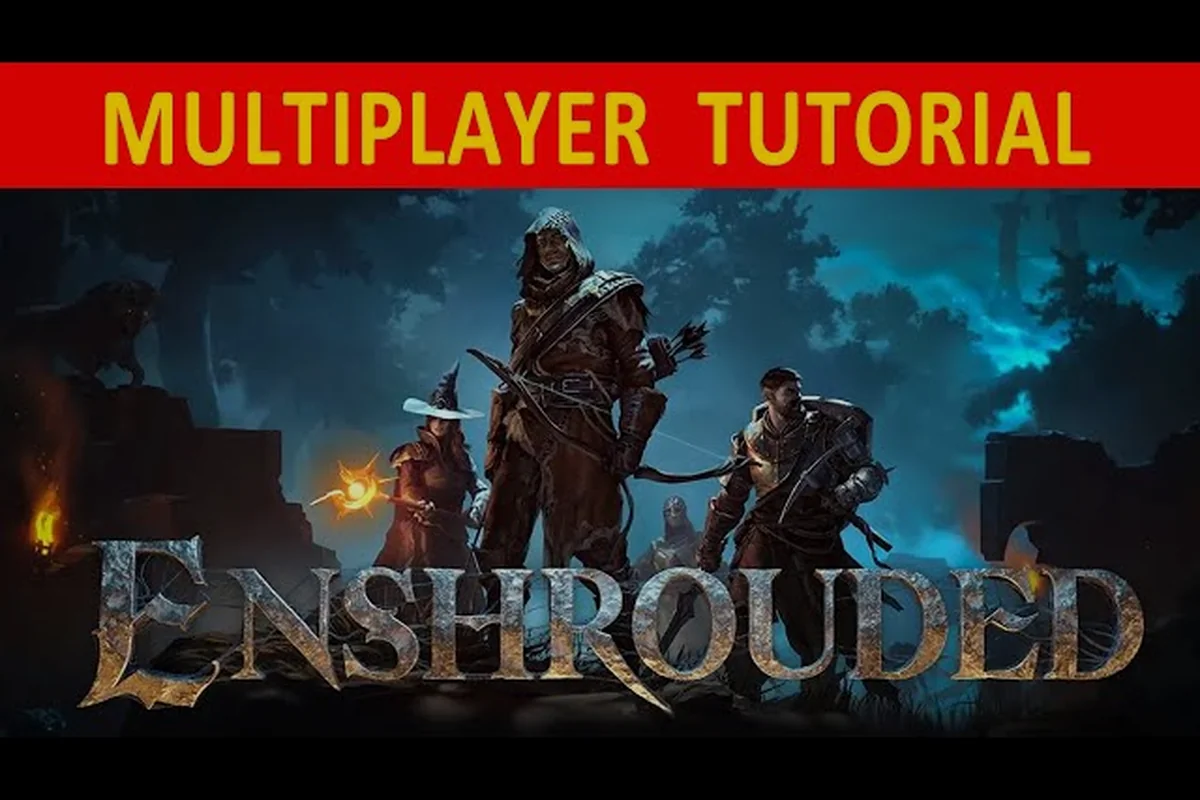
Death in Enshrouded co-op is rarely the end of a run, but it does follow rules that many groups learn the hard way. This guide covers how to revive teammates, how death works in multiplayer, and how to keep your shared world safe through the 1.0 save migration.
How Reviving Teammates Actually Works in Co-op
The most common question new groups ask is simple: can you pick a fallen friend back up? In Enshrouded, there is no resurrection spell, no revive prompt, and no downed state you can interact with. When a player's health hits zero, that character is removed from the world and must respawn on their own.
| Death Event | What Happens to the Character | What Happens to Gear/Loot | What the Surviving Group Can Do |
|---|---|---|---|
| Health reaches 0 in a Shroud zone | Character is deleted from the world instantly — no downed or bleed-out state exists | Gear stays equipped on the character; nothing drops at the death location | Nothing — no revive prompt can be triggered by a nearby teammate |
| Health reaches 0 during a boss attempt | Enemies targeting the dead player retarget the nearest living player | No corpse-run drop, so no loot risk for the group | Continue the fight short-handed or retreat to a flame altar |
| Player accepts respawn | Offered respawn at last bound flame altar or at the world spawn point | All buffs, food effects, and rested bonuses are lost | Nothing to recover; the player must reapply consumables |
| Death deep inside a Shroud run | Respawn walk-back distance depends entirely on the nearest bound flame altar | Gear never leaves the character, so no recovery trip is needed | Prevention only — a nearby flame altar shortens the trek |
| Death with 16-player co-op active | Only that one character leaves the world; the other players are unaffected | No shared loot loss occurs since no corpse-run system exists | Group keeps its flame altar placement as the sole mitigation |
That design choice shapes how co-op fights play out. Instead of a medic role, your group relies on positioning, flame altars, and Shroud timers to keep everyone alive. A teammate who dies deep inside a Shroud zone cannot be saved by anyone standing next to them — they simply wait out the respawn and walk back.
Here is what actually happens the moment a player dies: the character is deleted from the world instantly rather than entering a bleed-out or downed state, so there is no window in which a nearby teammate can trigger a revive — the only thing left behind is the loot still equipped on that character. Because Enshrouded has no corpse-run system, nothing drops at the death location, which means the surviving group cannot even recover gear on the fallen player's behalf. That is why a death during a boss attempt or a deep Shroud run is purely a time cost, not a loot risk.
-
The character drops out of the world immediately, and any enemies that were targeting them retarget the nearest living player.
-
The player is offered a respawn choice, typically at the last flame altar they bound to or at the world spawn point.
-
Loot and gear stay on the character. Enshrouded does not use a corpse-run system where items are dropped at the death location.
-
Any buffs, food effects, and rested bonuses are lost and must be reapplied after respawning.
Because there is no way to revive teammates mid-fight, the practical answer is prevention. Keeping a flame altar near a dangerous area gives a dead player a short walk back instead of a long trek across the map, which matters enormously during boss attempts and Shroud exploration.
Why the Shroud Timer Kills More Players Than Enemies Do
The Shroud is the fog that blankets much of Embervale, and according to the the Enshrouded page on Wikipedia, it limits how long a player can stay inside before dying. That timer is the single biggest cause of co-op deaths, because it keeps ticking while you fight, loot, or get lost.
When the timer expires, the player dies regardless of health, and no teammate can intervene. Groups that push deep into high-level Shroud zones should treat the timer as a shared resource: call out remaining time, and rotate out before it hits zero rather than after.
Respawn Points and Flame Altars
Flame altars double as respawn anchors. A player who dies respawns at the altar they last interacted with, so placing altars at the edge of a dangerous region shortens the walk back considerably. The survivor summoning and altar guide explains how altars tie into NPC housing and storage, which matters because your respawn point and your supply base are often the same location.
How Death Works in Enshrouded Multiplayer
Understanding the death penalty helps a group decide how aggressively to play. Enshrouded is deliberately forgiving compared to full-loot survival games, but it is not penalty-free. The table below summarizes what you lose and what you keep when a character dies in a shared world.
| Event | What Happens | Can Teammates Help? |
|---|---|---|
| Health reaches zero | Character leaves the world, respawn menu appears | No revive prompt exists |
| Shroud timer expires | Instant death regardless of health | No |
| Falling from height | Death if fall damage exceeds health | No |
| Respawn | Return at last flame altar or world spawn | Indirectly, by placing altars |
| Loot on death | Gear and inventory stay on the character | N/A |
| Buffs on death | Food, rested, and temporary effects cleared | No |
The key takeaway is that gear is never at risk, so dying costs time rather than progress. That said, time is the real currency in a co-op session. A death in a remote corner of the map can mean several minutes of running back, which is why altar placement is the closest thing this game has to a revive mechanic.
Does Death Scale With Group Size?
Enemy health and damage scale with the number of players in the world, so a four-player group faces tougher foes than a solo player would. Death penalties themselves do not scale — the respawn rules are identical whether you play alone or with fifteen friends, since the game supports up to 16 players in a single world.
That combination creates an interesting dynamic: bigger groups clear content faster but also generate more deaths, because scaled enemies hit harder and the Shroud timer does not care how many of you are standing there. Coordinating retreats becomes a genuine skill.
Shared Progression and What Death Does Not Undo
Quest progress, unlocked recipes, and world state are shared across the group. If one player dies during a quest, the quest does not reset, and any objectives completed before the death stay completed. The online co-op systems breakdown covers how loot, progression, and difficulty scaling interact, and it is worth reading if your group is still figuring out who owns which base.
Fixing Disconnects and Connection Drops
Nothing ruins a co-op night faster than a mid-fight disconnect, especially when it happens inside the Shroud with the timer running. Enshrouded disconnects usually trace back to one of a few causes, and most of them are fixable on the player's side.
Common causes reported by players include: host instability, where the host's machine or connection dropping ejects the entire session at once; NAT and port issues, where strict router NAT types block peer connections even when the internet itself is fine; and Steam Cloud conflicts, where a save syncing mid-session causes the client to lose its world reference — a problem that also ties into how you back up your world, since a manual copy of the save folder sidesteps cloud overwrites entirely.
-
Host instability — if the host's machine or connection drops, everyone in the session is ejected at once.
-
NAT and port issues — strict NAT types on a router can block peer connections even when the internet itself is fine.
-
Steam Cloud conflicts — a save that syncs mid-session can cause the client to lose its world reference.
-
Overloaded hosts — a host running the game, a browser, and a stream at once is more likely to stutter and drop players.
-
Version mismatch — after a patch, players on different builds cannot stay connected to the same world.
Quick Disconnect Troubleshooting Steps
Work through these in order, because the earlier steps fix the majority of cases: version mismatches, stale session data, and strict NAT types account for most Enshrouded co-op disconnects, while save-sync errors and full outages are far rarer. Start with the cheap checks before touching router settings, since a host on a strict NAT will drop players even when everyone else's connection is fine.
-
Confirm every player is on the same game version, since patches roll out at different times across platforms.
-
Restart the host's game and router, then have everyone rejoin — this clears stale session data.
-
Check the host's NAT type and enable UPnP or forward the relevant ports if it is strict.
-
Disable Steam Cloud for the game temporarily if you see save-sync errors in the log.
-
If the issue persists for everyone, check the official Enshrouded Discord, where Keen Games posts patch announcements and players confirm whether an outage is widespread.
If only one player keeps getting dropped while the rest of the lobby stays stable, the fault almost always sits on that player's side of the connection rather than in the hosted world. Common culprits include a moderate or strict NAT type, Wi-Fi packet loss, a VPN or proxy intercepting Steam traffic, or a firewall blocking Enshrouded's UDP ports. Have the affected player switch to a wired Ethernet connection, disable any VPN, and confirm their NAT reads Open in the Steam client's connection settings before rejoining the host's session.
When the Host Disconnects Mid-Session
If the host drops, the world closes for everyone. There is no host migration in Enshrouded, so the session ends and the host must relaunch the world before anyone can rejoin. This is the strongest argument for running a dedicated server if your group plays on a regular schedule, since a server stays up independently of any single player's PC.
Transferring and Backing Up Your World Saves
The 1.0 release changed how Enshrouded stores save data, and that change is the source of most save-related confusion right now. According to the the Enshrouded news archive on Steam, version 1.0 uses a new save format with smaller files and a simpler folder structure, and loading a save from 0.8 or earlier backs it up and migrates it automatically.
Two details from that changelog matter for every returning group: the automatic backup only fires once, on that first 1.0 launch, so any world you migrate afterward has no safety net unless you copy the save folder yourself; and because the migration prompt forces a permanent choice between a local save folder and a Steam Cloud folder, picking differently from your co-op host can leave your Flameborn altar progress and shared revive points out of sync when someone disconnects mid-fight.
-
Skill tree reset — entering 1.0 with an existing world resets the skill tree, so all skill points must be spent again.
-
Save folder choice — players can pick a local save folder or a Steam Cloud save folder during migration.
| Save Task | Where It Happens | Notes |
|---|---|---|
| Automatic migration | First launch of 1.0 with an old save | Original is backed up automatically |
| Local vs cloud choice | Migration prompt | Pick one and stay consistent |
| Manual backup | Copy the save folder to another drive | Best done while the game is closed |
| Moving a world to a new PC | Copy the save folder, then load in-game | Keep the folder structure intact |
| Restoring a backup | Replace the current save folder | Close the game first |
How to Back Up Your World Safely
Backing up is straightforward once you know where the files live. Close the game completely, locate the Enshrouded save folder, and copy the entire folder to an external drive or cloud storage. Do this before major patches, before attempting a difficult boss, and before any save migration. A backup taken while the game is running can be incomplete, so always quit to desktop first.
If you are moving a world between machines, copy the folder rather than individual files — the structure matters, and a partial copy will fail to load. Groups that share a world should agree on one person to hold the master backup, since merging two divergent copies of the same world is not supported.
Migrating a Shared World Without Losing Progress
When a group migrates a world, the safest sequence is to have the host migrate first, confirm the world loads correctly, and only then let other players rejoin. Because the skill tree resets on migration, everyone should expect to reallocate points on their first login, and it helps to plan builds in advance rather than improvising mid-session. The multiplayer setup guide walks through hosting options and server settings if your group is deciding between a player-hosted world and a dedicated server.
Practical Co-op Survival Tips
Since Enshrouded has no revive mechanic, a downed teammate simply respawns at the last bound Ancient Spire or altar — which means the real skill in co-op is preventing deaths before they happen. The Shroud timer is the biggest culprit: it keeps draining even while you fight, so a group that lingers for one more chest can wipe together. Discipline habits — calling out the timer, retreating early, and reapplying buffs after each respawn — consistently reduce deaths in group play:
-
Bind to a forward altar before entering a new Shroud zone, so a death costs a short walk instead of a long one.
-
Watch the Shroud timer as a group and call out when it drops below a third — retreat early rather than gambling on one more chest.
-
Carry food and reapply buffs after every respawn, since death clears all temporary effects.
-
Assign a scout to check enemy density before the group commits to a fight in scaled content.
-
Keep a spare set of gear at the base so a respawned player can rejoin quickly without sorting inventory.
-
Test new content with two players first, then scale up, because enemy difficulty rises with group size.
Base layout also plays a role in how fast a group recovers from a wipe. A compact crafting hub near the main altar means respawned players can restock, reapply buffs, and get back out the door in under a minute — the co-op base layout guide covers altar placement and crafting station arrangement in detail.
Frequently Asked Questions
Can you revive a dead teammate in Enshrouded?
No. Enshrouded has no revive mechanic, downed state, or resurrection item. When a player's health reaches zero, their character leaves the world and they respawn at their last flame altar or the world spawn point. Teammates can only help indirectly by placing altars close to dangerous areas.
How does death work in Enshrouded multiplayer?
Death removes the character from the world and clears all temporary buffs, but gear and inventory stay on the character. Enemy difficulty scales with group size, while respawn rules stay the same for solo and co-op. The Shroud timer is the leading cause of deaths in multiplayer sessions.
How do I transfer my Enshrouded save to another PC?
Close the game completely, locate the Enshrouded save folder, and copy the entire folder to the new machine. Keep the folder structure intact rather than copying single files. After launching, the world should appear in your save list and load normally.
Why do I keep disconnecting from my friend's world?
The most common causes are host instability, strict NAT types, version mismatches after a patch, and Steam Cloud save conflicts. Restarting the host's game and router resolves most cases. If everyone drops at once, the host's connection is almost always the culprit.
What changed about saves in Enshrouded 1.0?
Version 1.0 introduced a new save format with smaller files and a simpler folder structure. Old saves from 0.8 or earlier are backed up and migrated automatically on first launch, and players choose between a local or Steam Cloud save folder. Entering 1.0 also resets the skill tree.
Death in Enshrouded co-op is a time tax rather than a progress wipe, and once your group accepts that there is no revive button, the strategy becomes clear: place altars aggressively, watch the Shroud timer together, and keep clean backups of your world before every patch. Handle those three habits and a wipe costs a minute instead of an evening.